
 Blog How to Get Your SA302 and Tax Year Overview: A Simple Guide for Self-Employed Buyers
How to Get Your SA302 and Tax Year Overview: A Simple Guide for Self-Employed Buyers
Published: 24th September 2026
How to Get Your SA302 and Tax Year Overview: A Simple Guide for Self-Employed Buyers
If you work for yourself, run your own limited company or let out property, you’ve probably heard us ask for your “SA302s and tax year overviews”. We ask for them more than almost anything else, and they’re one of the most common reasons an application stalls. Here’s a plain-English guide to what these documents are and how to get them in a few minutes.
What are they?
Your SA302 (tax calculation) sets out your income for a tax year and shows how HMRC worked out your tax from your Self Assessment return. It does the same job for you that payslips and a P60 do for employed buyers: it proves your income to the lender.
Your tax year overview is a separate one-page summary from HMRC. It shows the tax due for that year and how much you’ve paid. Lenders use it to check that the figures on your SA302 match HMRC’s own records.
Lenders almost always want both documents for each year. The tax due on your SA302 should match the figure on your overview. If the two don’t match, the lender will usually ask why, so check them before you send them.
How many years will I need?
Most lenders ask for two years. Some accept one, and others prefer three. It depends on your circumstances and the lender, and we’ll tell you exactly what you’ll need.
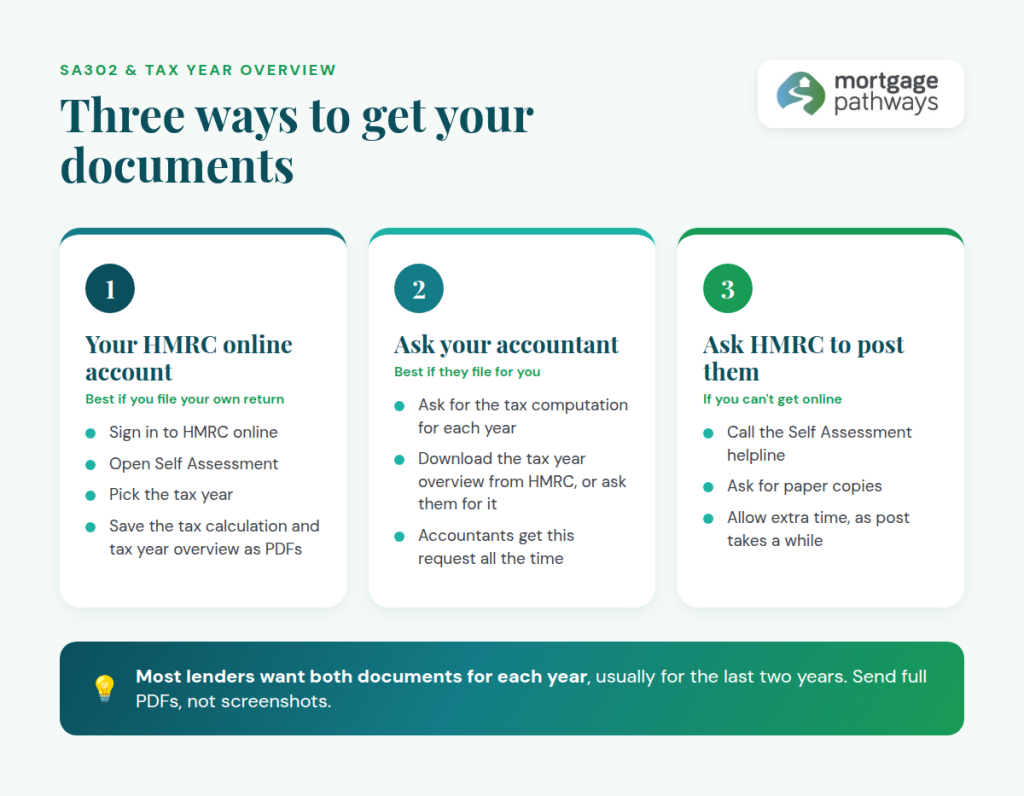
Option 1: Download them from your HMRC online account
This is the quickest route if you file your own return online.
- Sign in to your HMRC online account through GOV.UK.
- Go to the Self Assessment section.
- Choose the option for more details about your Self Assessment returns and payments.
- Select the tax year you need and open the tax calculation. Save it as a PDF, then do the same for the tax year overview.
- Repeat for each year we’ve asked for.
HMRC updates its menus from time to time, so the wording on screen may differ slightly. Look for “tax calculation” (your SA302) and “tax year overview”.
Tip: Please send us the full PDF downloads rather than screenshots or phone photos. Lenders can reject cropped or hard-to-read documents.
Option 2: How do I get my SA302 if my accountant files my return?
If your accountant files your return with their own software, as most do, your SA302 may not appear in your HMRC account. In that case:
- Tax calculation: ask your accountant for the tax computation for each year. Their software produces this, and most lenders accept it.
- Tax year overview: you can still download this from your own HMRC online account, or your accountant can get it for you.
The easiest approach is to send your accountant a quick email: “Please can you send me my SA302 tax calculations and tax year overviews for the last two tax years for a mortgage application?” Accountants get this request all the time.
Option 3: Ask HMRC to post them
If you can’t get online, you or your accountant can call the HMRC Self Assessment helpline on 0300 200 3310 and ask HMRC to post paper copies. This takes a while, so allow plenty of time if you’re already part-way through an application.
Common hold-ups to avoid
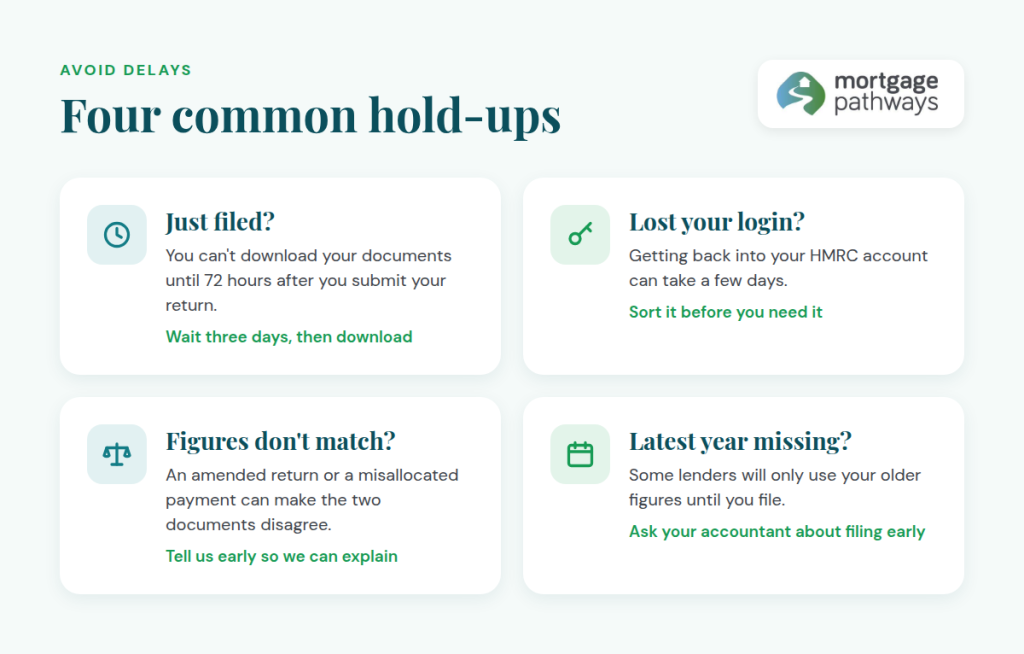
- You’ve only just filed. HMRC won’t let you download your documents until 72 hours after you submit your return.
- You’ve lost your login. Getting back into your HMRC account can take a few days, so sort it out before you need the documents.
- The figures don’t match. An amended return, or a payment HMRC has set against the wrong year, can make your SA302 and overview disagree. Tell us early and we can explain it to the lender.
- The latest year is missing. If you haven’t filed your most recent return yet, some lenders will only use your older figures. If filing early would help your borrowing, speak to your accountant.
We’re here to help
Getting these documents ready early is one of the easiest ways to keep your application moving. If you work for yourself and you’re thinking about buying, especially a new build where timescales can be tight, get in touch. We’ll tell you exactly what you’ll need before you start.
Your home may be repossessed if you do not keep up repayments on your mortgage.The below blog has information contained within was correct at the time of publication but is subject to change. This is for information purposes only and does not constitute advice